How to Choose a POS System in Kenya
A point of sale (POS) system is the computer, software and hardware at your counter. Most owners buy one to take cash faster. A good system does more than that. It keeps your stock accurate, gives you sales figures you can trust, and controls who can change prices or refund a sale.
This guide sets out what to check before you buy. It is written for shop and wholesale owners who are comparing systems for the first time, or replacing one that no longer works.
What a POS should do beyond taking cash
Before you look at any product, write down the problems you want solved. Common ones are:
- Stock on the shelf does not match the stock in your notebook or spreadsheet.
- Sales are hard to reconcile at the end of the day.
- Staff can change prices or give discounts without anyone knowing.
- Invoices must go to KRA, and that is one more task to manage by hand.
A POS should help with each problem you name. If a supplier cannot show you how it would help, the system is not the right fit, however good the demonstration looks.
Questions to ask before you buy
Ask every supplier these questions, and ask for the answers in writing.
Does it work with the hardware you can buy here? Ask which receipt printers, barcode scanners and cash drawers the system has been tested with. Nelite POS has been tested with USB and network thermal receipt printers, barcode scanners, and cash drawers that open through the printer. Ask any supplier for the exact models they have tested, and check that you can buy replacements locally.
Does it handle more than one shop? If you plan to open another branch, ask whether one dashboard can show all of them. Nelite POS runs more than one store, with more than one till in each store, and shows them from one dashboard. Ask for a demonstration of the view you would use each morning.
Can you control what each member of staff does? A cashier, a manager and an owner need different access. Ask whether you can decide who can see reports, change prices, apply discounts or process refunds. Test this during a trial rather than taking the answer on trust.
Does stock update with each sale? Stock should change when a sale is made, and you should be able to see the history of movements for each product. Ask what happens when goods are returned or damaged, and how the system records it.
What happens when the connection drops? Ask what the till does when it cannot reach the internet, and how sales are saved and sent later. The answer depends on how your shop is connected, so describe your own setup to the supplier.
KRA eTIMS
eTIMS is KRA’s electronic tax invoicing system. Whether your business must use it, and what it must do, is for you to confirm with KRA or your accountant. This guide does not set out your obligations.
When you talk to a supplier about eTIMS, ask:
- Does the system support eTIMS invoicing at the counter? Nelite POS does.
- How are invoices sent to KRA, and how can you check that each one was sent?
- What happens to a sale if its invoice cannot be sent at that moment?
- Who helps you if the eTIMS part of the system stops working?
Keep your accountant involved. They can tell you what your business needs before you commit to a system.
M-Pesa at the till
Many customers in Kenya prefer to pay with M-Pesa. Some POS systems let the cashier send a payment request from the till to the customer’s phone. Nelite POS uses STK Push for this. The cashier starts the payment from the till, and the customer completes it on their phone.
Ask the supplier how the system records an M-Pesa payment against the sale. Ask what the cashier sees when a payment fails or does not arrive, and what they should do next. Test both situations during a trial.
Support and training
A till is only as good as the people who use it. Before you buy, ask:
- Who trains your staff, and do they train on your own equipment?
- What support is included after launch, and for how long?
- How do you report a fault, and how quickly is it answered?
For Nelite projects, we train the people who use the system day to day, and we fix bugs free for 30 days after launch. After that, support and improvements are available on a monthly plan. See how a project runs for the full steps.
Try before you buy
Ask for a trial and use it with real products and real staff. Nelite offers free trials of Nelite POS. Set it up with a few of your products, one till and your own printer, then run a normal trading day. At the end of the day, compare the sales report with your own count.
Keep a short list of anything that did not work. A supplier who answers those problems clearly is a better sign than one who says everything works.
A working example
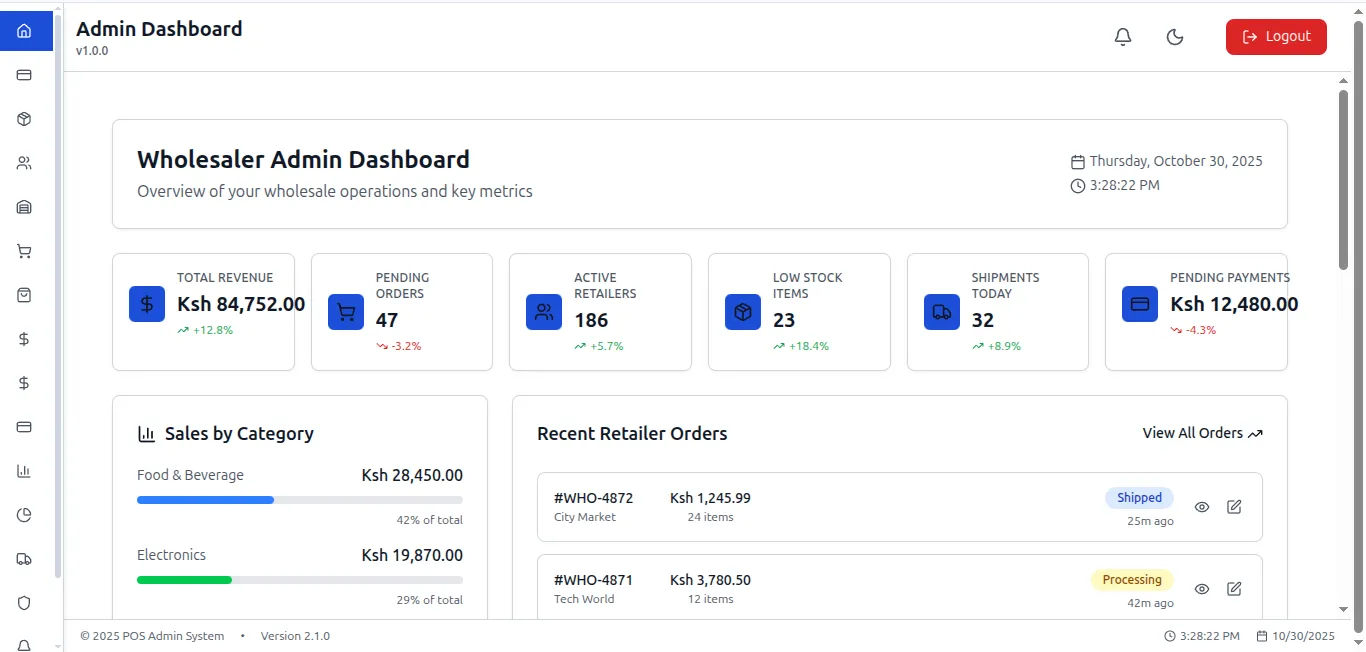
Nelite POS is our own point of sale for retail and wholesale businesses. Our Nelite POS case study describes how we built it, including the till screen, stock movements, several stores and counters, tax settings and staff permissions.
If you want to see how Nelite POS fits a shop like yours, or to ask for a free trial, visit our POS systems page.